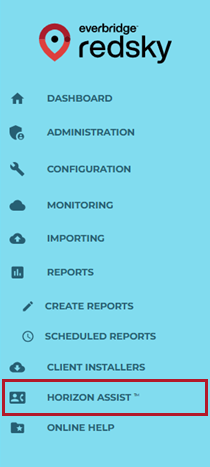
Horizon Assist Portal
The service can be used from the Horizon Portal under the Horizon Assist option in the portal if API integration is unavailable.
The feature can be used by an Administrator E911 Security User if Horizon Assist is the only function required.
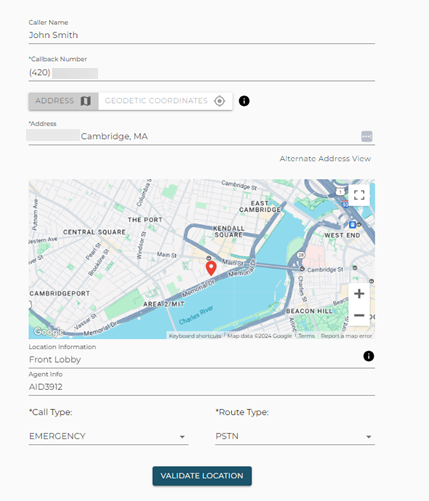
The user enters the following information in the portal:
- Caller Name - Name of the caller presented to the PSAP.
- Callback Number - The phone number that can be used by the PSAP if required to call back for a follow-up.
- Address -The address used to determine which PSAP needs to be connected. It is also presented to the PSAP call taker as the location of the emergency.
- Location Information - Additional information about the location, such as the floor, apartment number, or suite number. This information is important to ensure that first responders know exactly where the emergency is at the location.
- Agent Information - Information included in the Horizon call report, such as Agent ID. This information is not sent to the PSAP.
- Call Type - The type of call being requested. An Emergency call is routed to a live PSAP. A test call is routed to the RedSky test call server, which will answer and automatically play back the address sent via the API or portal.
Route Type - This is the route type to be used to call the Horizon Service using a PSTN phone number or a SIP trunk URI.
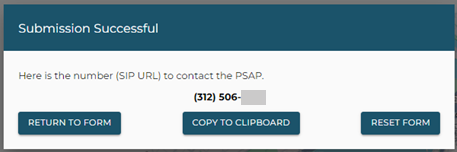
If the address provided by the agent has been validated, a phone number or SIP URI is returned. It can be copied to the clipboard if needed to be easily pasted into the agent’s dialer.
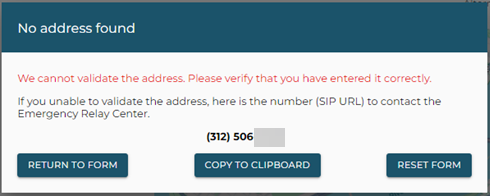
There are some cases where the address cannot be validated. The agent may have made an error entering the address and should verify and retry. If the address is correct, it may not be in the address database, yet. In that case, the agent can call the provided number and be connected to the RedSky Emergency Relay Center, which will be able to connect them with the appropriate PSAP.